Content and Information Architecture
This week, we meet a few design terms that help us both:
- plan for what kinds of content we need to design for
- understand the structure and connections between “places of information” on our portfolio
Learning Objectives
Section titled “Learning Objectives”This lesson addresses learning objectives:
- Design front-end user experiences using accepted web design patterns, methods, and information structures.
- Identify and use strategies of successful visual rhetoric for the web.
Information Architecture, Chapter 1 + 2 + 6 + 13
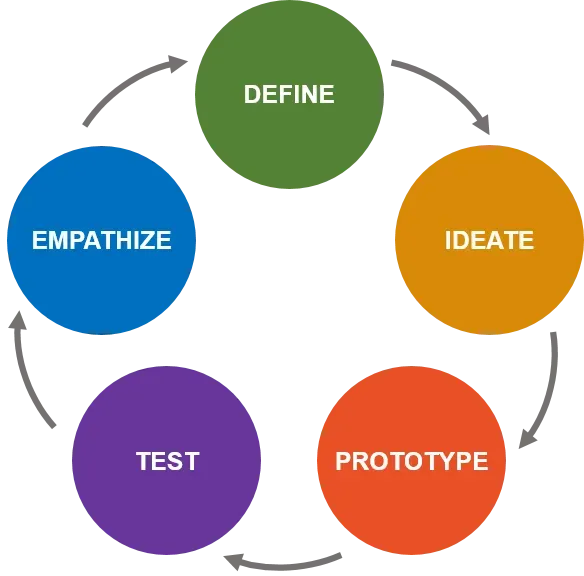
Types of Thinking
Section titled “Types of Thinking”In this course, we balance two different kinds of thinking:
Design Thinking
Systems Thinking
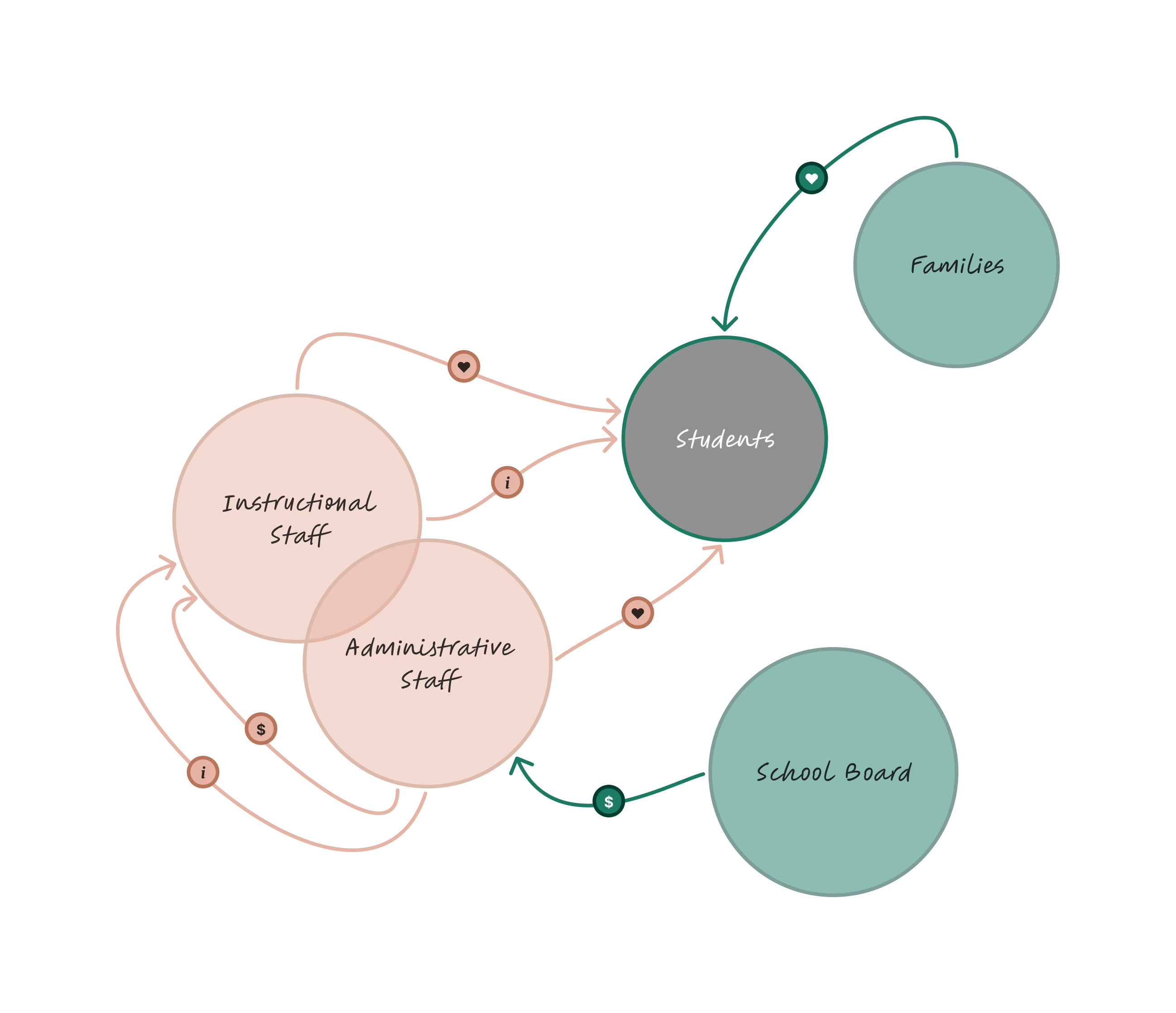
Humanity-centered Design
Section titled “Humanity-centered Design”In creating effective design, we use both kinds of thinking in a form called Humanity-Centered Design, whose steps are:
-

-
Discover and address the proper root cause
Section titled “Discover and address the proper root cause”
-
-

-
Design considering the whole system
Section titled “Design considering the whole system”
-
-

-
Take the long view
Section titled “Take the long view”
-
-

-
Continuously refine and revise the product
Section titled “Continuously refine and revise the product”
-
-

-
Design with respect to the communities involved
Section titled “Design with respect to the communities involved”
-
Discover and Address the Proper Root Cause
Section titled “Discover and Address the Proper Root Cause”Our semester starts here with a single rhetorical problem:
The main goal of this course is to enable you to complete a single larger-scale personal portfolio project. Students may choose to display other types of projects from discplines including, but not limited to, computer science. While this project occurs over the course of the entire semester, there will be periodic benchmarking assignments to assess student progress on the various planning and building tasks inherent in creating a complete, polished, personal website.
- What is the “root cause” of our problem?
- How do we know it’s the right one?
- How do we propose to address it?
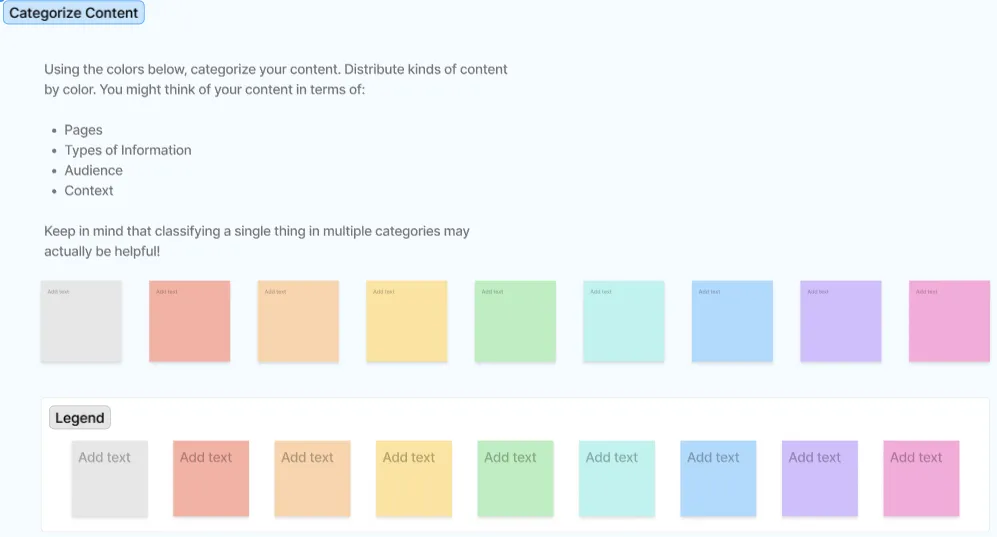
Content Inventory
Section titled “Content Inventory”breaking down or combining existing content into content chunks that are useful for inclusion in your environment. A content chunk isn’t necessarily a sentence or a paragraph or a page. Rather, it is the most finely grained portion of content that merits or requires individual treatment
Rosenfeld, Morville, Arango, pp. 415
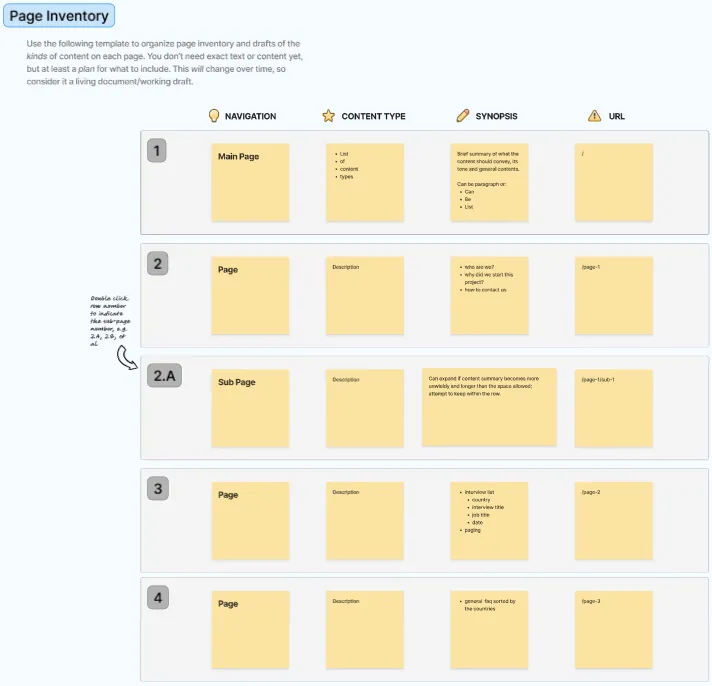
A content inventory describes available content and where it can be found as well as content gaps that need to be filled.
Sitemaps
Section titled “Sitemaps”We approach Information Architecture through a sitemap, a tool which:
show[s] the relationships between information elements such as pages and other content components, and can be used to portray organization, navigation, and labeling systems. Both the diagram and the navigation system display the “shape” of the information space in overview, functioning as a condensed map for site developers and users, respectively.
Rosenfeld, Morville, Arango, pp. 394-5
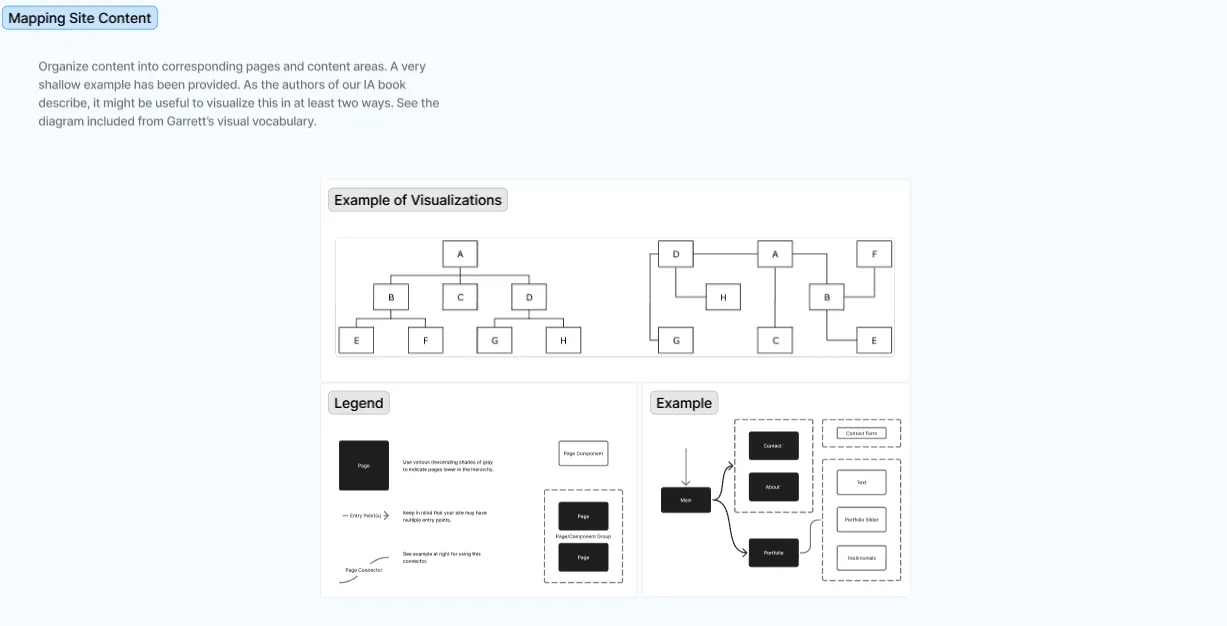
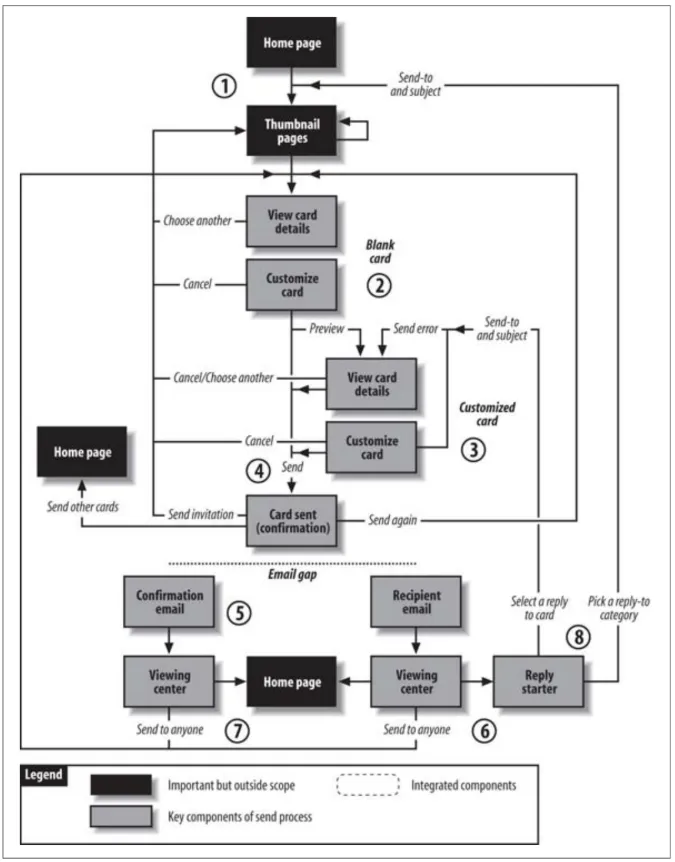

To complete these exercises, students have been given a FigJam template to complete. FigJam
is a whiteboarding tool similar to tl;draw and Excalidraw, but offers many more design-specific
features. It is also an industrially-relevant and widely-used tool for planning, collaborating and,
as we’ll see in the next lesson, wireframing.
To create an account, go to figma.com.